Meta description: Job site photos can expose customer addresses, device details, and work patterns through EXIF metadata. Learn how trade businesses can reduce photo privacy and AI-training risks.
A job site photo can reveal more than you intended.
You photograph a finished HVAC install.
Or an invoice.
Or a warranty label.
Or a breaker panel.
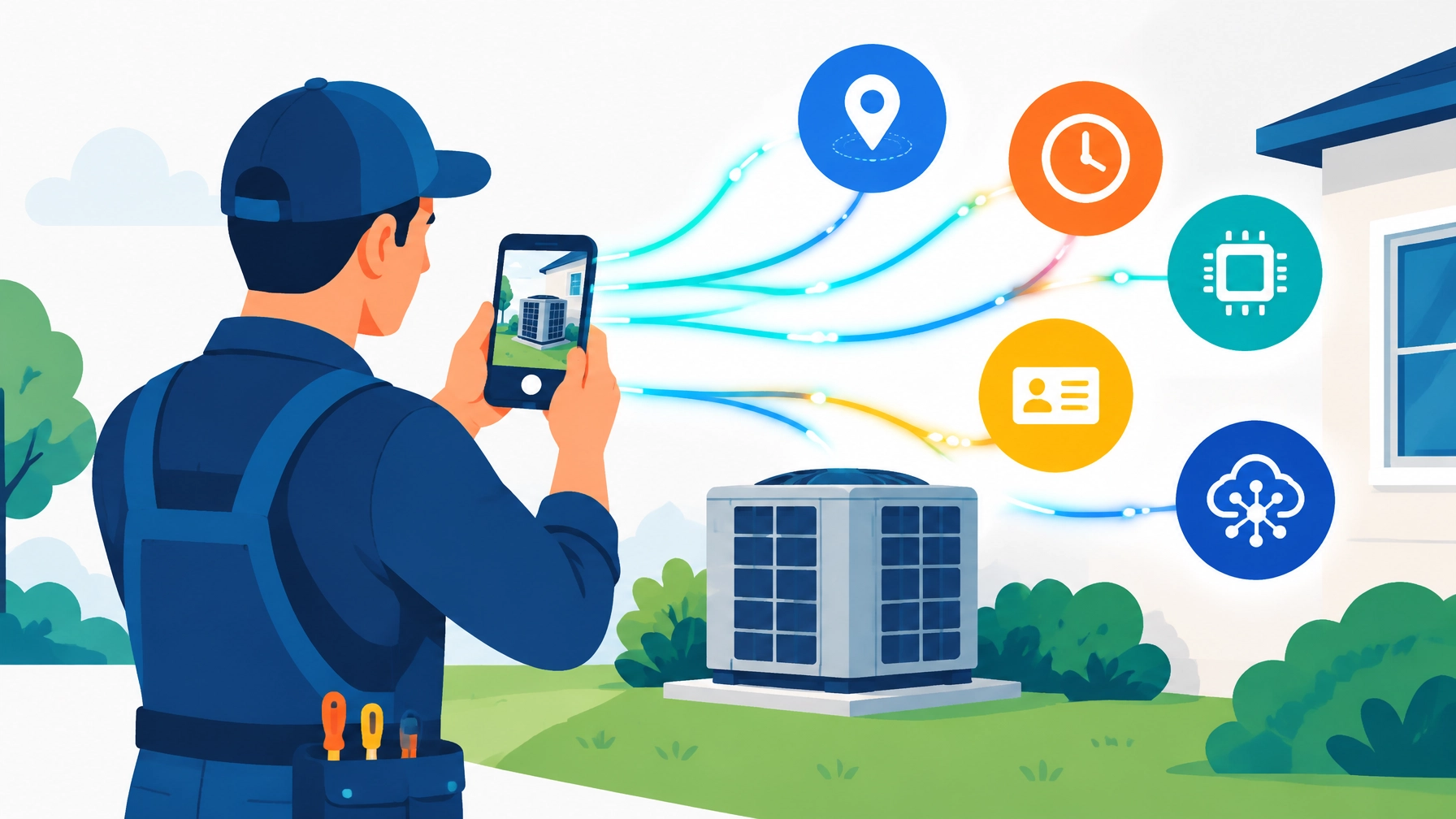
The image looks harmless. But hidden inside the file may be a precise location, timestamp, device identifier, and other technical details.
That data can travel far beyond your phone.
No complicated hacking. No dramatic breach required. Just one original photo moving through a field service app, a shared photo library, an OCR scanner, or an AI tool.
Here’s what you need to know.
📍 What EXIF metadata actually contains
EXIF stands for Exchangeable Image File Format.
That sounds technical. The idea is simple.
Your phone can attach hidden information to every photo you take.

Depending on your settings and device, a photo may include:
- GPS coordinates that point to the job site
- Date and time the image was captured
- Phone or camera make and model
- Device identifiers or serial details
- Camera settings
- Editing history
- Software used to process the image
GPS is the biggest concern for trade businesses.
Someone who downloads the original image may be able to convert the coordinates into the customer’s exact address.
A picture of a new furnace can reveal the home where it was installed. A photo of a breaker panel can reveal a commercial facility. A picture of a warranty label can connect equipment details to a specific property.
No visible address. No public map. Just metadata hiding inside the file.
🧭 The journey of one job site photo
Most small businesses don’t stop at taking the photo.
The image moves.

A typical path looks like this:
- Your technician takes the photo.
- The image enters a field service management software platform.
- The platform stores it in the cloud.
- OCR reads visible text from invoices, labels, and panels.
- Analytics systems organize the image and related job data.
- An outside vendor may process the file for search, automation, or AI features.
Each step creates another question.
Who can access the photo?
How long is it stored?
Does the platform keep the original EXIF metadata?
Does OCR save the text it extracts?
Does the vendor use customer images to train AI models?
Does the app scan your entire photo library instead of only the image you selected?
No clear answer means more risk.
The risk isn’t limited to trade software. Mobile apps increasingly ask to scan entire camera rolls with AI.
Tinder’s “Chemistry” feature, for example, has reportedly scanned users’ photo libraries, uploaded selected images, and shared them with an unnamed AI provider. The feature is opt-in. The lesson is still important: a permission prompt doesn’t tell you everything about where your photos go.
Read the Tinder camera-roll analysis for a detailed look at that process.
🔧 A realistic example: Mike’s five-person HVAC company
Mike owns a five-person HVAC business.
He uses his phone for everything. His team photographs installations, equipment serial numbers, damaged parts, and completed work.
The photos sync automatically to a shared library.
Mike also uploads some of them to a free AI tool to clean up lighting for marketing posts.
He never uploads customer names. He never types in addresses.
But the photos may already contain:
- GPS coordinates
- Customer property interiors
- Equipment serial numbers
- Street views through windows
- Faces or license plates
- Timestamps
- Repeated routes and service patterns
Now imagine those images are copied into an analytics system or exposed through a breach.

A marketer could map Mike’s customer neighborhoods.
A competitor could identify his busiest routes.
A criminal could connect high-value equipment photos to exact properties.
An AI vendor could retain images, extracted text, or visual patterns for future model development.
No one needs to steal Mike’s customer list directly. The photos may recreate much of it.
⚖️ The FTC has already shown this is an enforcement issue
This isn’t just a theoretical concern.
On March 30, 2026, the Federal Trade Commission took action against Match Group and OkCupid over allegations that OkCupid shared personal data with an unrelated third party despite its privacy promises.
The FTC alleged that OkCupid provided nearly 3 million user photos, along with demographic and location data, to Clarifai, a facial-recognition AI company.
The data was reportedly shared without formal contractual restrictions on how it could be used.
The settlement did not include a monetary fine. It did include a permanent injunction, 10 years of compliance reporting, and a 20-year order.

In April, Clarifai confirmed that it had deleted the photos and destroyed facial-recognition models trained on them, according to Reuters.
The FTC’s original announcement is worth reading.
The OkCupid case involved dating profiles. Your business is different.
The principle is the same.
A privacy promise does not protect anyone if the actual data-sharing practices don’t match it.
🗂️ Image libraries can become permanent data stores
A September 16 disclosure involving Gyazo’s parent company, Helpfeel, shows another side of the problem.
The reported breach affected approximately 23.62 million accounts and metadata connected to more than 490 million images.
The exposed information reportedly included:
- EXIF location data
- OCR text
- Image identifiers
- Device and account data
- Source IP addresses
- Other image-related metadata
The lesson is direct.
An image platform may retain much more than the image itself.
It may keep the searchable text. The location. The routing ID. The upload history. The account connected to it.
No password protection is perfect. No “unguessable” link is a complete security plan. Retaining less data reduces the damage when something goes wrong.
See the Gyazo breach analysis for the reported details.
📱 Why app store privacy labels aren’t enough
We covered app store privacy labels in earlier posts in this series.
If you missed them, visit the Valortek blog for our earlier discussions of Apple and Google privacy labels, what major platforms can know about you, privacy policies, data sovereignty, and last month’s data broker and location-data risks.
Those labels are useful.
They are not a technical audit.
Apple’s App Privacy labels and Google Play’s Data Safety sections rely largely on developer disclosures. They can tell you whether an app says it collects location, photos, identifiers, or usage data.
They may not tell you:
- Whether EXIF is stripped immediately
- Whether an image is copied to another system
- Whether OCR text is retained
- Which AI vendor processes the file
- Whether the vendor trains models on uploads
- How long backups keep deleted images
- Whether your entire photo library can be scanned
No label replaces a vendor’s written answers.
No permission screen replaces data minimization.
Just because an app can access your photos doesn’t mean it should.
🔐 Our approach at Valortek
We built Valortek around a simple idea: your business data is yours.
Our privacy policy explains how we handle information. Our product commitment is straightforward:
- We don’t sell or rent your business data.
- We don’t use customer photos or customer data to train AI models.
- We don’t use advertising SDKs inside our business applications.
- We don’t share customer data for advertising or data-broker purposes.
- We encrypt data in transit and at rest.
- We use access controls and least-privilege permissions.
- We request only the location and photo access needed for the feature.
- Your data stays exportable.
- Your data can be deleted according to your account and legal requirements.
No mystery data marketplace. No hidden AI-training program. No enterprise maze.
Just practical tools for small businesses that need field service scheduling software, job management, and invoicing software for contractors without giving up control of their information.
That includes HVAC scheduling software, electrician scheduling software, appliance repair scheduling software, locksmith business software, and tools for plumbers.
If you’re comparing a Housecall Pro alternative or a QuickBooks alternative for contractors, privacy should be part of the comparison.
The best software for plumbers or any other trade isn’t just the platform with the most features. It’s the one that handles your customers’ information responsibly.
✅ A practical photo privacy checklist
Use this checklist with your team.

Before taking job site photos
- Turn off camera location for work photos where possible.
- Use a dedicated business phone or work profile.
- Avoid photographing customer faces, license plates, documents, or unrelated personal items.
- Take only the photos you need.
Before sharing photos
- Strip EXIF metadata, especially GPS coordinates.
- Check whether your phone’s share function removes location data.
- Don’t send original files as documents unless metadata has been removed.
- Blur addresses, names, serial numbers, faces, and plates when they aren’t needed.
Before using a photo app or AI tool
Ask the vendor:
- Do you scan the entire photo library?
- Do photos leave the device?
- Is EXIF metadata retained?
- Is OCR text stored?
- Are images used to train AI models?
- Which third parties receive the images?
- How long are uploads and backups retained?
- Can we delete and export the data?
- Will you confirm these terms in writing?
Inside your business
- Keep job photos inside your field service tool when possible.
- Don’t use personal messaging apps for sensitive customer images.
- Create a retention period for old job photos.
- Train technicians to treat every job photo as customer data.
- Document who can view, download, and share images.
No panic. No complicated security department. Just fewer copies, fewer permissions, and fewer vendors holding information they don’t need.
Your customer trusted you with access to their home or business. Protect the photo, too.
Contact us at info@valortek.us with privacy questions.
Questions? Contact us – we're happy to help you decide.