Blog

  • Can AI Fix a Leaky Pipe? The Human Element in Plumbing

    Everyone is talking about AI.

    It writes emails. It creates digital art. It might even be helping you schedule your next service call. But there is one thing AI will never do.

    It will never crawl under a kitchen sink to fix a burst pipe.

    No software. No algorithm. Just grit and a pipe wrench.

    In the trades, the physical world is the ultimate gatekeeper. Whether you’re a plumber, an electrician, an HVAC tech, or a locksmith, your job requires something a computer simply doesn’t have: a body and a brain that works together in real-time.

    At Valortek, we believe technology should support your business, not pretend it can replace your hands.

    The Physical Reality Check

    AI lives in the cloud. You live in crawl spaces.

    Plumbing is a contact sport. It requires manual dexterity. It requires the ability to squeeze into tight corners, climb shaky ladders, and manipulate heavy tools with precision.

    Current AI technology lacks a physical form that can navigate a standard American home. Think about your last job. You probably had to navigate around a stack of boxes, avoid a sleeping dog, and reach behind a water heater that was installed backward in 1982.

    No robot can do that.

    To make a robot that could navigate a “normal” house, we’d have to rebuild every house to fit the robot’s map. That isn’t happening. Your ability to move through unpredictable environments is your greatest asset.

    No sensors. No pre-programmed paths. Just human movement.

    A professional plumber navigating a tight crawlspace to perform a manual pipe repair.

    Intuition is Not an Algorithm

    AI works on patterns. It looks at a million photos of a leak and tries to guess where the water is coming from.

    You don’t guess. You listen. You feel the vibration in the wall. You smell the dampness in the basement.

    Years of experience have given you an intuition that an algorithm can’t replicate. We call it a “gut feeling,” but it’s actually your brain processing thousands of variables at once.

    An electrician doesn’t just see a tripped breaker. They sense the underlying tension in an outdated panel. A locksmith doesn’t just see a stuck bolt; they feel the resistance in the cylinder.

    AI needs perfect data to work. The trades are rarely perfect.

    You deal with the “what ifs.” You deal with the “I’ve never seen this before, but I know how to fix it.” AI fails the moment it sees something it hasn’t been trained on.

    The Chaos of the Real World

    If every plumbing system followed a perfect blueprint, AI might stand a chance. But they don’t.

    Homes are built by different people in different decades. They’ve been renovated, patched, and modified. Most of the time, the original plans are long gone or were never followed in the first place.

    This is where the human element shines.

    You are a creative problem solver. When a pipe doesn’t line up with the new fixture, you don’t crash. You adapt. You find a work-around. You use your spatial reasoning to visualize a solution that doesn’t exist on a screen.

    No blueprints. No schematics. Just on-the-spot ingenuity.

    Human hands applying expert problem-solving skills to complex plumbing pipe assembly.

    Why “Good Enough” Doesn’t Work in Trades

    In the world of AI, an 80% success rate is often considered a win. If an AI writes a blog post and gets 80% of the facts right, an editor can fix the rest.

    In plumbing, 80% means your house is still flooding.

    In electrical work, 80% means a fire hazard.

    In HVAC, 80% means a frozen coil in the middle of July.

    The trades require 100% precision. There is no “beta version” of a gas line repair. You get it right the first time, or people get hurt and property gets destroyed.

    Human judgment is about risk management. You know when a pipe is too corroded to save. You know when a furnace is a safety risk rather than a simple repair. AI doesn’t understand the consequences of being wrong. It just calculates probabilities.

    You carry the weight of responsibility. A computer carries nothing.

    Trust Cannot Be Automated

    When a customer calls a plumber at 2:00 AM, they aren’t just looking for a fix. They are looking for peace of mind.

    They are letting a stranger into their home during a moment of crisis. They want to see a professional who looks them in the eye and says, “I’ve got this.”

    AI can’t build rapport. It can’t empathize with a homeowner whose basement is ruined. It can’t explain a complex repair in a way that makes a customer feel safe.

    Service is about relationships. At Valortek, we know that your brand isn’t just your logo; it’s the trust you build on every doorstep. No matter how advanced technology gets, people will always prefer a person over a program when their home is on the line.

    No bots. No auto-replies. Just real human connection.

    A plumber and homeowner shaking hands to build professional trust and human connection.

    AI is a Tool, Not a Replacement

    We aren’t saying technology is useless. Far from it.

    At Valortek Inc, we help trade businesses use tech to work smarter. But we use it for what it’s good at: the “boring” stuff.

    AI is great at:

    • Scheduling your appointments so you don’t have to play phone tag.
    • Predicting when a customer’s HVAC unit might need maintenance based on age.
    • Organizing your invoices so you actually get paid on time.
    • Routing your trucks so you spend less time in traffic.

    By letting technology handle the back-office chaos, you are free to do what only you can do: the actual work.

    Think of AI like a high-end power tool. It makes the job faster and easier, but it still needs a master craftsman to hold the handle.

    We’re not another “enterprise” consulting firm trying to sell you a dream of a fully automated business. We’re people who understand that your value is in your hands and your head.

    The Future of the Trades

    The “AI Revolution” is making a lot of white-collar workers nervous. Copywriters, coders, and data entry clerks are worried about their jobs.

    If you’re a plumber, an electrician, or a technician, you should feel confident. Your skills are more valuable now than ever. As more of the world moves into the digital space, the people who can actually maintain the physical world become the most essential workers in society.

    You can’t download a new faucet. You can’t 3D print a functional sewer line in an emergency.

    The human element isn’t a weakness. It’s your superpower.

    Our job at Valortek is to make sure your business side is as sharp as your technical side. We help you streamline your operations so you can focus on the leaks, the wires, and the customers.

    No fluff. No jargon. Just a better way to run your trade.

    Start Your Free Trial

    Questions? Contact us – we’re happy to help you decide.

  • Scaling Without Stress: How an Appliance Repair Shop Grew from 1 to 5 Techs

    When Growth Becomes Your Biggest Problem

    Mike Torres had a good problem.

    Too many customers. Not enough hours in the day. His one-man appliance repair shop in Phoenix was turning away business every single week.

    So he hired a second technician. Then a third.

    That’s when things got messy.

    The Chaos of Coordinating Multiple Techs

    Mike thought adding techs would solve his problems. Instead, it created new ones.

    Scheduling became a nightmare. Who was where? Who had which parts? Which jobs were done and which were still pending?

    Overwhelmed appliance repair shop owner struggling with chaotic scheduling and communication across multiple technicians

    He tried spreadsheets. They broke down immediately. Too many moving parts. Too many updates needed in real-time.

    He tried group texts. Complete disaster. Messages got lost. Techs showed up at the wrong houses. Customers called asking why no one came.

    Mike was working 14-hour days just managing his team. Not fixing appliances. Not growing the business. Just… coordinating.

    Sound familiar?

    The Software Shopping Nightmare

    So Mike did what we all do. He went software shopping.

    He found tools that charged per technician. $50 for tech one. $50 for tech two. Before he knew it, his software bill would be $250/month with five techs.

    Other platforms wanted $300+ per month for “enterprise” features he didn’t need.

    Some had the features but required a PhD to operate. His techs wouldn’t use them. Back to square one.

    Mike needed something simple. Something his team would actually use. Something that wouldn’t cost more every time he grew.

    The Valortek Difference

    That’s when Mike found Valortek.

    $99 per month. Flat. For his entire team.

    No per-user fees. No surprise charges when he hired tech number four and five. Just straightforward pricing that made sense.

    But price wasn’t the game-changer. The simplicity was.

    Clean job management dashboard showing organized service calls and technician schedules for appliance repair business

    Mike set up his account in 30 minutes. No implementation consultant. No training seminars. Just a clean dashboard that made sense immediately.

    He created his first job. Assigned it to a tech. The tech got a notification. Done.

    No complicated workflows. No unnecessary features. Just the essentials that actually matter when you’re running a repair business.

    Job Management That Actually Works

    Here’s what changed for Mike’s team:

    Morning Chaos → Morning Clarity

    Before Valortek, Mike spent his first hour every day fielding calls and texts from techs asking about their schedule. Now everyone opens the app and sees their day. That’s it.

    Lost Parts → Tracked Inventory

    Mike’s techs were constantly running to the supply house mid-day because they didn’t know they needed a part. Now they check the job details before they leave. Parts are tracked. Time is saved.

    Customer Confusion → Customer Confidence

    Customers used to call asking “When is your guy coming?” Mike had no good answer. Now every job has a status. Mike knows. The customer knows. Everyone’s happy.

    Before and after comparison showing transformation from disorganized operations to streamlined appliance repair workflow

    End of Day Madness → End of Day Simplicity

    Mike used to spend 45 minutes every evening reconciling what happened. Which jobs were done? Which need follow-up? Who collected payment?

    Now it takes five minutes. Everything’s in the system. Updated in real-time. Clean records automatically.

    The Growth That Followed

    Within six months of implementing Valortek, Mike’s business transformed.

    He hired techs four and five. His software bill? Still $99.

    His revenue? Up 280%.

    His stress level? Way down.

    He’s not spending his days playing dispatcher anymore. He’s actually working on his business. Marketing. Training. Building systems.

    His techs are happier too. They’re not confused about where to go or what to do. They just open the app, see their jobs, and get to work.

    Customer satisfaction scores went up. Reviews got better. Referrals increased.

    All because the operational chaos disappeared.

    Why This Works for Small Teams

    Here’s the thing about scaling from one to five techs. You’re not big enough for enterprise software. But you’re too big for spreadsheets.

    You need something that actually fits your size.

    Confident appliance repair technician checking daily job schedule on mobile app beside service van

    Most software companies don’t get this. They build for either solo operators or 50-person teams. Nothing in between.

    We built Valortek for exactly this stage. The awkward middle. The growth phase where you need real tools but can’t afford enterprise complexity or pricing.

    That’s why we don’t charge per user. That’s why we keep it simple. That’s why Mike’s not the only repair shop owner who’s scaled stress-free with us.

    What Mike Wishes He’d Known Earlier

    I asked Mike what advice he’d give his past self. His answer was simple:

    “Don’t wait until you’re drowning to get organized.”

    He waited until he had three techs and complete chaos before looking for help. If he’d implemented Valortek earlier, he could have avoided months of stress.

    The best time to set up job management? Before you need it desperately. When you can think clearly and build good habits.

    The second best time? Right now.

    No Gimmicks. Just Tools That Work.

    We’re not going to promise you’ll 10x your business overnight. We’re not going to claim Valortek will solve every problem you have.

    What we will say: if coordinating your team is eating your time and sanity, we can help.

    If you’re tired of software that charges more every time you grow, we’re your alternative.

    If you want something your techs will actually use without a training manual, we’ve got you covered.

    Business growth chart showing appliance repair company scaling from one to five technicians successfully

    Mike’s story isn’t unique. It’s the story of hundreds of service businesses that hit the same wall at the same stage.

    The difference is what happens next. Stay stuck in chaos. Or get organized and keep growing.

    Your call.


    Start Your Free Trial

    Questions? Contact us – we’re happy to help you decide.
  • Why This Locksmith Swapped Housecall Pro for Valortek (And Never Looked Back)

    Meet Jake Rodriguez. He runs a locksmith business in Phoenix with six technicians and two dispatchers.

    For three years, he paid Housecall Pro over $300 a month. He thought that’s just what good software costs.

    Then he found Valortek.

    The Breaking Point

    Jake’s monthly software bill kept climbing. First it was $249. Then $289. Then $324 after adding another technician.

    “Every time we grew, the bill grew faster,” Jake told us. “And half the features we were paying for? We never used them.”

    The final straw came when Housecall Pro announced another price increase. Jake started looking for alternatives.

    He wasn’t just looking for cheaper. He was looking for better.

    Locksmith business owner frustrated by rising Housecall Pro software costs and invoices

    What Jake Actually Needed

    His requirements were simple:

    • Fast scheduling and dispatch
    • Mobile app his techs would actually use
    • Customer communication that doesn’t require a PhD
    • Invoicing that doesn’t glitch
    • Reports that show him what’s actually happening in his business

    He didn’t need enterprise features. He didn’t need bells and whistles. He needed software that worked.

    The Housecall Pro Reality Check

    Here’s what Jake was dealing with:

    The price: $300+ per month for his team size. That’s $3,600 a year minimum. And it kept going up.

    The complexity: Features buried in menus. Settings that required YouTube tutorials. His dispatchers spent more time fighting the software than dispatching calls.

    The limitations: Want custom workflows? Pay more. Need advanced reporting? Upgrade. API access? Different tier.

    The speed: Slow load times. Laggy mobile app. Technicians complained constantly.

    Jake wasn’t alone. We hear this story all the time from field service businesses.

    They start with Housecall Pro because it’s well-known. Then they realize they’re paying premium prices for basic features.

    Enter Valortek

    Jake found Valortek through a friend in the HVAC business. Skeptical at first.

    “Another field service platform? Great,” he thought.

    But the pricing caught his attention. $99 per month. That’s it.

    Half the cost of what he was paying. For his entire team.

    Side-by-side comparison showing chaotic Housecall Pro workflow versus streamlined Valortek field service management

    The Feature Comparison That Changed Everything

    Jake made a spreadsheet. On one side, Housecall Pro. On the other, Valortek.

    Here’s what shocked him:

    Valortek included everything he needed:

    • ✅ Unlimited users
    • ✅ Advanced scheduling with AI-powered optimization
    • ✅ Custom workflow automation
    • ✅ Full mobile app suite
    • ✅ Real-time GPS tracking
    • ✅ Customer portal
    • ✅ QuickBooks integration
    • ✅ Custom reporting dashboards
    • ✅ API access
    • ✅ Priority support

    For $99 per month.

    With Housecall Pro, half those features required upgrades. The other half didn’t exist at all.

    He called us. Asked if there was a catch.

    There wasn’t.

    The Switch

    Jake signed up for a trial. Took him two days to migrate his data and train his team.

    “I expected this to take weeks,” he said. “It took an afternoon.”

    His dispatchers loved it immediately. Cleaner interface. Faster workflow. Everything they needed right where they expected it.

    His technicians? Even better. The mobile app was actually fast. They could complete jobs, collect payments, and move on without fighting their phones.

    Three Months Later

    We checked in with Jake after his first quarter on Valortek.

    The numbers told the story:

    Financial Impact:

    • Saved $200+ per month on software costs
    • That’s $2,400 per year back in his pocket
    • ROI in the first month

    Operational Impact:

    • Dispatch time cut by 40%
    • Technician job completion speed up 25%
    • Customer satisfaction scores improved
    • Zero downtime or technical issues

    “My techs actually thank me for the switch,” Jake said. “That never happens with software.”

    Locksmith technician using Valortek mobile app for scheduling and route optimization in service van

    The Features That Made the Difference

    Three things stood out for Jake’s locksmith business:

    1. AI-Powered Scheduling

    Valortek’s scheduling engine learns from your business patterns. It suggests optimal routes. Predicts job duration. Factors in traffic and technician skill sets.

    Housecall Pro has scheduling. Valortek has smart scheduling.

    The difference? Jake’s techs now complete 2-3 more jobs per day. Without working longer hours.

    2. Custom Workflow Automation

    Every locksmith job is different. Residential rekeys, commercial access control, emergency lockouts.

    With Valortek, Jake built custom workflows for each job type. Automatic status updates. Triggered communications. Follow-up sequences.

    Housecall Pro required manual work for everything.

    3. Real Business Intelligence

    Jake’s favorite feature? The reporting dashboard.

    He sees everything in real-time. Revenue by technician. Job completion rates. Customer lifetime value. Average ticket size.

    “I used to pull reports from three different places and combine them in Excel,” he explained. “Now it’s all there. Updated live.”

    Makes business decisions easier when you actually know what’s happening.

    What Jake Wishes He’d Known Sooner

    “I wasted $7,200 over two years paying more for less,” Jake admits.

    Three things he’d tell other locksmith business owners:

    Stop assuming expensive means better. The big-name platforms spend millions on marketing. You’re paying for their ads, not better software.

    Actually test the alternatives. Jake thought switching would be painful. It wasn’t. Most modern platforms make migration easy.

    Calculate the real cost. It’s not just the monthly fee. It’s the add-ons. The upgrades. The “premium” features that should be standard.

    Business owner reviewing Valortek dashboard analytics showing locksmith business performance metrics

    Why This Matters for Your Locksmith Business

    You’re probably in Jake’s shoes right now.

    Paying too much. Getting too little. Wondering if there’s a better way.

    There is.

    We built Valortek specifically for field service businesses tired of enterprise pricing and enterprise complexity.

    No bloat. No add-on fees. No “call for pricing.”

    Just powerful software that works. For half the cost.

    The Locksmith-Specific Benefits

    Valortek understands locksmith businesses:

    • Quick emergency dispatch for lockouts
    • Inventory tracking for keys and hardware
    • Recurring service management for commercial clients
    • Mobile estimates and on-site payment collection
    • Customer history and key codes database

    Everything you need. Nothing you don’t.

    The Bottom Line

    Jake’s saving $2,400 per year. His team’s more productive. His customers are happier.

    He switched six months ago. He’s never looking back.

    Neither are the hundreds of other field service businesses making the same move.

    The question isn’t whether you should switch. The question is what’s the cost of waiting?

    Every month on overpriced software is money you’re not investing in your business. In your team. In growth.

    Ready to See the Difference?

    We’re not going to pressure you. We don’t need to.

    Try Valortek free. See for yourself why locksmith businesses are making the switch.

    Compare the features. Compare the price. Compare the results.

    Then decide.

    Start Your Free Trial

    Questions? Contact us – we’re happy to help you decide.

  • Field Service Management Software for 1-10 Employees: Which One Will not Nickel-and-Dime You?

    Author: Warren Peterson
    Category: Operations

    You’re running a small HVAC shop, locksmith business, or appliance repair service. You’ve got 3 techs. Maybe 7 on a good month.

    And you just got quoted $247/month for field service management software.

    That’s nearly $3,000 a year. For scheduling and invoicing.

    Let’s talk about why most field service management software companies are pricing you out, and which ones won’t.

    The Nickel-and-Dime Playbook

    Here’s how it usually works.

    You see an ad. “$49/month!” it screams. You click. You sign up.

    Then you realize that’s for one user. Your dispatcher needs access? Add $49. Two techs in the field? That’s another $98.

    Suddenly you’re at $196/month. And you haven’t even added GPS tracking, online payments, or integrations with QuickBooks.

    Those are “premium features.” Another $50–100/month.

    Small business owner stressed by rising field service software costs and hidden per-user fees

    The per-user pricing trap is the oldest trick in the SaaS playbook. It sounds fair until you do the math. Three employees shouldn’t triple your software costs, but with most platforms, they do.

    Feature gating is the second move. You need invoicing? That’s the “Pro” plan. Want customers to pay online? “Premium” tier. Two-way texting with clients? “Enterprise.”

    No thank you.

    What Small Trade Businesses Actually Need

    You don’t need enterprise resource planning. You’re not IBM.

    You need four things:

    1. Scheduling that doesn’t suck. Drag-and-drop calendar. Mobile access. That’s it.
    2. Invoicing that’s fast. Create an invoice in under 60 seconds. Send it. Get paid.
    3. Job management basics. Track what’s been done, what’s pending, and who’s doing it.
    4. A price that won’t make you wince every time you check your bank statement.

    Most field service management software tries to do everything. CRM. Marketing automation. Inventory control across 47 warehouses.

    You just want to schedule Mike for a furnace repair Tuesday at 2pm and invoice Mrs. Patterson when he’s done.

    The Free-Tier Bait-and-Switch

    Kickserv and Workiz both offer free plans. That sounds great.

    And for a solo operator testing the waters, they are.

    But here’s what happens: you grow to 4 employees. You need better reporting. You want online booking. Suddenly the free tier feels like a demo, not a real product.

    So you upgrade. And the upgrade costs $120/month. Per location.

    Free tiers aren’t designed for you to stay on them. They’re designed to get you hooked, then upsell you into plans that cost as much as the “expensive” competitors you were avoiding.

    The “Affordable” Options That Aren’t

    Let’s break down what you’ll actually pay for the popular choices when you have 5 employees:

    Jobber: Starts at $49/month. Sounds reasonable. But that’s for one user. Add 4 more techs at $30/user and you’re at $169/month. Want route optimization? Customer portal? Another tier. You’re looking at $230+/month realistically.

    Housecall Pro: Advertised at $65/month for core features. But most shops with 5+ employees end up on the $195/month plan to get dispatch automation and payment processing that actually works.

    Comparison of complex multi-tier software pricing versus simple all-in-one field service solution

    ServiceTitan and FieldRoutes: These are the “enterprise” options. If you have to ask the price, you can’t afford it. Think $300–500+/month minimum. Great for 50-employee operations. Overkill (and overpriced) for you.

    QuickBooks Online + add-ons: QuickBooks alone is $65–200/month depending on features. Then you need a separate scheduling tool ($50+/month). Then payment processing fees. You’re building Frankenstein’s monster and paying $250+/month for the privilege.

    What Transparent Pricing Actually Looks Like

    Here’s the thing: your software costs shouldn’t scale faster than your revenue.

    If you go from 2 employees to 5 employees, your software shouldn’t go from $100/month to $300/month. That’s absurd.

    We built Valortek because we were tired of watching small trade businesses get squeezed by software companies.

    No per-user fees. No feature gating. No surprise upgrades.

    Our Operations app is $99/month. Period. That includes:

    • Scheduling and dispatching for unlimited users
    • Job management and work order tracking
    • Mobile app access for your whole team
    • GPS and route optimization
    • Customer database with full history

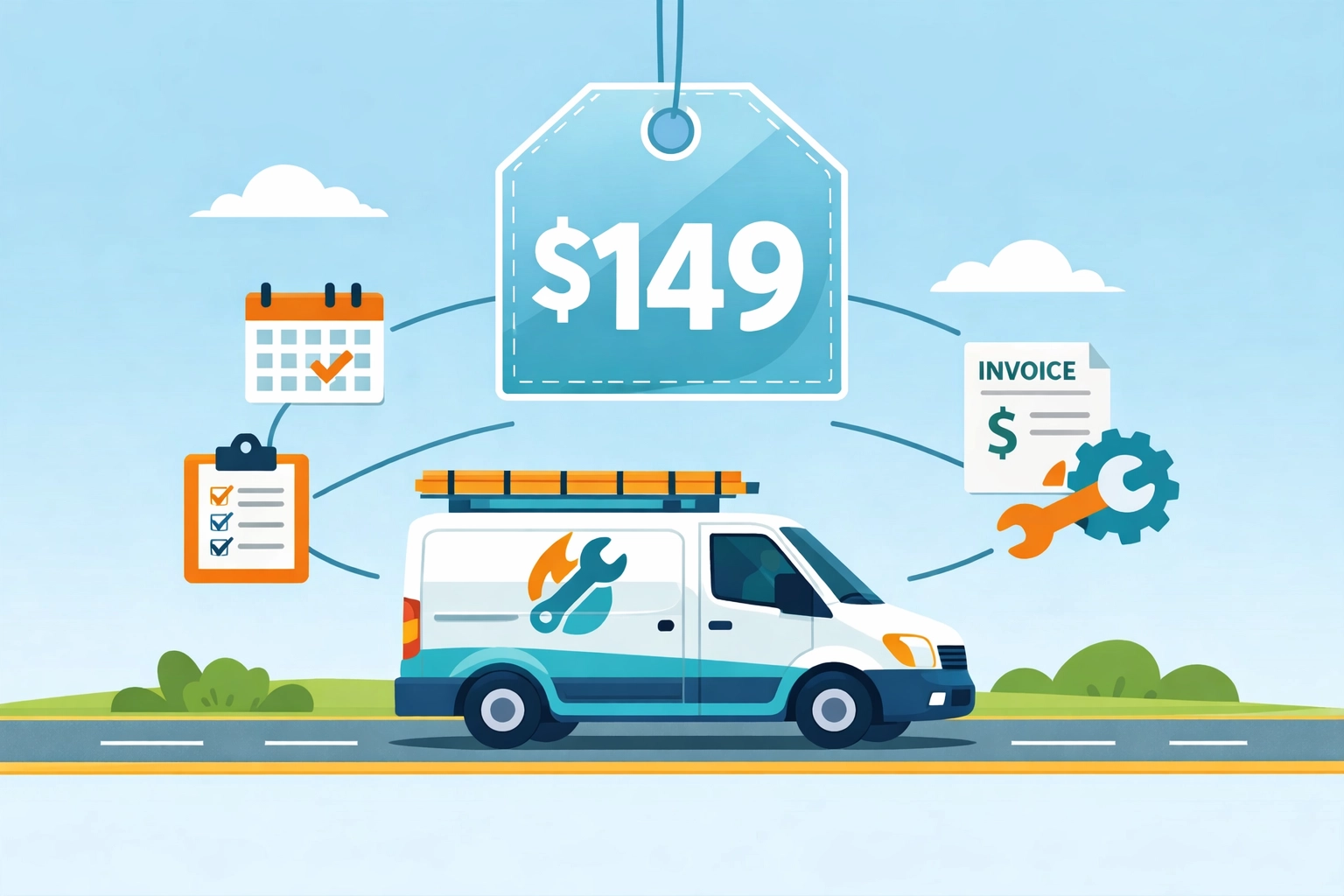
    Need invoicing, estimates, and payment processing too? That’s $149/month total for the complete bundle (coming soon).

    One price. All features. Every employee.

    Field service van with transparent flat-rate pricing for scheduling and invoicing software

    A 5-person locksmith shop pays the same $149/month as a solo electrician with big growth plans. No penalties for hiring. No upgrade pressure.

    Why We Price This Way

    We’re not venture-backed. We’re not trying to hit a $100M valuation by 2027.

    We’re just a small team building software for other small businesses.

    You know what small businesses need? Predictability. You budget $149/month in January, it’s $149/month in December.

    The big platforms nickel-and-dime you because their investors demand 40% year-over-year growth. They have to keep increasing revenue per customer. That means price hikes, new “premium” tiers, and forcing you onto annual contracts.

    We don’t play that game.

    Who Valortek Is For (And Who It’s Not For)

    Let’s be honest: if you’re running a 50-tech operation with 6 locations and need advanced analytics dashboards, we’re probably not your best fit.

    ServiceTitan exists for a reason.

    But if you’re a:

    • Plumber with 3 employees
    • HVAC company with 7 techs
    • Locksmith with 2 vans
    • Appliance repair shop with 5 service pros
    • Electrician growing from solo to small team

    We built this for you.

    You don’t need software that does 1,000 things. You need software that does 10 things really well and doesn’t charge you per-person for the privilege of using them.

    Field service technician using simple scheduling and invoicing tools to save time

    The Real Cost of “Cheap” Software

    Here’s what nobody tells you: that $49/month plan you’re eyeing?

    It’ll cost you way more than $49.

    You’ll spend 6 hours getting it set up. Another 4 hours realizing it doesn’t do online payments without an upgrade. Another 3 hours migrating to a different platform because the “cheap” one couldn’t scale with you.

    Time is money. Especially when you’re the one answering phones, dispatching techs, AND trying to fix Mrs. Chen’s water heater.

    Pay for software that works from day one. Not software that requires constant babysitting, workarounds, and eventual migration.

    What to Ask Before You Buy

    Don’t just take our word for it. Here are the questions you should ask ANY field service management software company:

    1. What’s the real monthly cost for 5 users with all essential features? Make them give you a number. If they dodge, run.
    2. What happens when I add my 6th employee? Per-user pricing? Tier upgrade required?
    3. Are invoicing and payments included, or is that extra?
    4. Can I cancel anytime, or am I locked into annual billing?
    5. What’s NOT included in the base price? Make them list it.

    If they can’t answer these clearly in under 2 minutes, they’re hiding something.

    Try Before You Commit

    We offer a 14-day trial. No credit card required. No sales call pressure.

    Download the app. Add your team. Schedule a few jobs. Send an invoice.

    If it works for you, great. If not, no hard feelings.

    You can test Valortek risk-free at https://valortek.com and see exactly what $99 or $149/month gets you.

    No surprises. No upsells. Just straightforward field service management software that won’t nickel-and-dime your small business.

    Because you’ve got enough to worry about without your software bill becoming another problem.

    Start Your Free Trial

    Questions? Contact us – we’re happy to help you decide.

  • The $1,200 Tax Surprise: How Valortek Tax Planning Saved an HVAC Business

    Meet Jake. He runs a small HVAC business in Colorado. Three trucks. Five employees. Good reputation.

    Last year, his accountant handed him a $1,800 bill for tax prep.

    Jake paid it. Felt like he had no choice.

    Then he found Valortek.

    The Problem: Expensive Tax Prep and Zero Visibility

    Jake’s situation was typical. No monthly bookkeeping. No tax planning. Just a pile of receipts in April and a big bill from his CPA.

    His accountant would spend hours sorting through everything. Jake would wait nervously to find out what he owed. Then he’d scramble to cover the tax payment.

    No forecasting. No preparation. Just surprises.

    Bad ones.

    Small business owner stressed with disorganized tax receipts and invoices on desk

    What Jake Needed

    Jake didn’t need fancy enterprise software. He needed three things:

    Monthly visibility into his taxes. Not once a year. Every month.

    Cash flow forecasting. So he could plan for tax payments instead of panicking about them.

    Simple financial management. That didn’t require a finance degree to understand.

    That’s it.

    The Valortek Solution

    Jake signed up for Valortek Finance in January. The $149/month bundle. It included both our operations tools and our finance features.

    Here’s what happened.

    Automated Tax Planning

    Valortek tracks income and expenses automatically. Every invoice. Every payment. Every cost.

    Then it calculates estimated quarterly taxes. In real time.

    Jake could see his tax liability on his dashboard. Updated daily. No surprises.

    He set aside money each month. By the time Q1 taxes were due, he had the cash ready.

    No scrambling. No stress.

    Before and after comparison: chaotic tax documents vs organized financial dashboard

    Cash Flow Forecasting

    The finance app showed Jake exactly what was coming in and going out. Not just this week. For the next 90 days.

    He could see when big tax payments were due. He could plan around them.

    When a customer delayed payment, Jake saw the impact immediately. He adjusted his spending before it became a problem.

    This alone saved him from bouncing a payroll check.

    The $1,200 Saving

    Jake’s accountant bill this year: $600.

    Why? Because Valortek did most of the work. The monthly categorization. The tax calculations. The organized reporting.

    His CPA just reviewed everything and filed. Took three hours instead of twelve.

    Savings: $1,200.

    That’s a year of Valortek. Paid for. With money left over.

    But the real value wasn’t the $1,200. It was the peace of mind.

    The Results

    Here’s what changed for Jake:

    No more April panic attacks. Taxes became predictable.

    Better cash flow management. He could see problems coming and fix them early.

    Lower accounting costs. His CPA charged less because everything was organized.

    Smarter business decisions. He knew his numbers. He could plan growth confidently.

    Time savings. Five hours a month. Minimum.

    Jake’s exact words: “I should’ve done this three years ago.”

    HVAC business owner with service trucks and digital financial dashboard overlay

    How Valortek Finance Works

    No complicated setup. No finance degree required. Just practical tools.

    Tax Planning Features

    • Automatic income and expense tracking
    • Real-time quarterly tax estimates
    • Tax payment reminders
    • Easy categorization for deductions
    • Year-end reports ready for your CPA

    Cash Flow Forecasting

    • 90-day cash flow projections
    • Invoice tracking and payment predictions
    • Expense planning tools
    • Cash runway calculations
    • Alert system for potential shortfalls

    Everything syncs automatically. You just review and make decisions.

    Why This Matters for HVAC Businesses

    HVAC businesses have unique cash flow challenges. Big material costs. Seasonal fluctuations. Equipment financing.

    Tax planning gets messy fast.

    Most HVAC owners we talk to are doing what Jake did. Flying blind until tax season. Then getting hit with huge bills and accounting fees.

    It doesn’t have to be that way.

    HVAC technician at work with floating financial management icons

    The Simple Truth

    You don’t need a $500/month CFO service. You don’t need enterprise accounting software.

    You need visibility. You need forecasting. You need tools that actually work for small businesses.

    That’s Valortek.

    Pricing That Makes Sense

    Finance standalone: $99/month. Tax planning and cash flow forecasting.

    Operations bundle: $149/month. Finance plus scheduling, invoicing, and customer management.

    No contracts. No setup fees. Cancel anytime.

    For context: Jake’s $1,200 in accountant savings covered eight months of Valortek. Everything after that is pure profit.

    What Jake Says Now

    “I check my Valortek dashboard every Monday morning. Takes five minutes. I know exactly where I stand. I know what’s coming. I can make decisions without guessing.”

    “My accountant loves it too. She said I’m her most organized client now. That’s never been said about me before.”

    “The tax planning feature alone is worth it. But the cash flow forecasting? That’s changed how I run my business.”

    That’s what we’re building Valortek for. Real businesses. Real problems. Real solutions.

    No corporate jargon. No complicated dashboards. Just tools that work.

    Business owner confidently reviewing financial dashboard on laptop

    Ready to Take Control?

    If you’re tired of tax surprises and cash flow anxiety, we built Valortek for you.

    Try it free for 14 days. See what Jake saw. Make better decisions with better data.

    We’re a small team. We’re building software for business owners like you. Simple. Honest. Effective.

    Start Your Free Trial

    Questions? Contact us – we’re happy to help you decide.

  • How to Choose the Best Scheduling Software for Your HVAC, Plumbing, or Locksmith Business (Without Overpaying)

    How to Choose the Best Scheduling Software for Your HVAC, Plumbing, or Locksmith Business (Without Overpaying)

    Author: Warren Peterson
    Category: Operations

    You’re spending too much on scheduling software.

    Not because you picked the wrong tool. Because most tools are built for enterprise companies with 50+ technicians and dedicated IT teams.

    You’ve got 3-8 people on the truck. You need something that works Monday morning without a training manual.

    Here’s how to find HVAC scheduling software, plumbing dispatch tools, or locksmith business software that actually fits your business: without the $300/month price tag.

    Most Field Service Software Is Built for Companies You’ll Never Become

    The big names in field service management target companies with 20+ vehicles and full-time dispatchers.

    Their feature lists are impressive. Their pricing is terrifying.

    You don’t need predictive maintenance algorithms. You need to know where Mike is and when he’ll finish the job on Elm Street.

    The gap between what enterprise software offers and what a 5-person plumbing company actually needs is massive. That gap is where you’re wasting money.

    Business owner overwhelmed by complex enterprise field service software with hidden costs

    What Actually Matters for Small Trade Businesses

    Strip away the marketing and fancy dashboards. Here’s what you use every single day:

    Scheduling that doesn’t require a PhD. Drag jobs onto a calendar. See conflicts before they happen. That’s it.

    Dispatching that works in the truck. Your techs need to see their schedule, get directions, and mark jobs complete from their phones.

    Invoicing that happens on-site. Create an invoice while you’re still standing in the customer’s driveway. Collect payment before you leave.

    Basic customer tracking. Names, addresses, service history, notes. Nothing fancy.

    Text and email reminders. So customers actually show up and you’re not driving across town to locked houses.

    That’s the list. If you’re paying for anything beyond these five things, you’re probably overpaying.

    The Real Cost Breakdown Nobody Shows You

    Most HVAC scheduling software and plumbing management tools hide their true costs behind “starting at” pricing.

    Here’s what actually happens:

    You see $99/month advertised. Looks reasonable.

    Then you realize that’s for one office user. Each technician is $125/month extra. You’ve got four techs. You’re suddenly at $599/month.

    Then they charge setup fees. Implementation takes three weeks. You’re paying your old system and the new system simultaneously.

    Then they upsell you on payment processing, customer portal access, advanced reporting, API access, and premium support.

    Your $99/month tool is now $800/month and you’re using maybe 30% of the features.

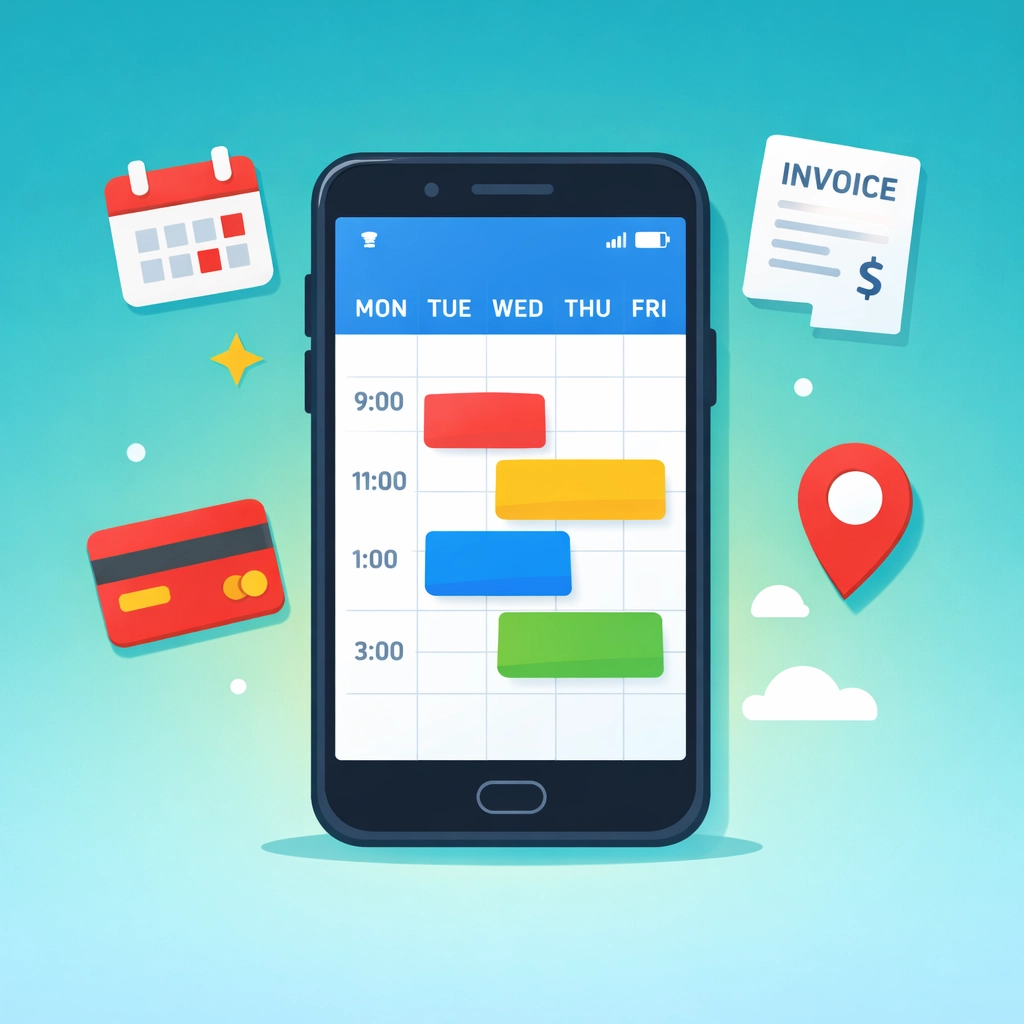
    Simple mobile scheduling software interface for HVAC and plumbing businesses

    How to Match Software to Your Actual Business Size

    If you’re running solo or with 1-2 helpers: You need the absolute basics. Scheduling, invoicing, and payment collection. Skip anything that mentions “enterprise” or “scalable.” You’re looking at the $50-150/month range, all-in.

    If you’ve got 3-8 technicians: This is the sweet spot for affordable, powerful tools. Look for flat-rate pricing that includes your whole team, not per-user pricing that scales out of control. The $99-200/month range should cover everything.

    If you’re running 10+ technicians: You might actually need some of those advanced features. But start simple anyway. You can always upgrade. You can’t easily downgrade once you’ve built workflows around expensive tools.

    The best software for plumbers with three trucks is completely different than what works for a 30-person HVAC company. Don’t let salespeople convince you otherwise.

    Industry-Specific Features That Actually Matter

    For HVAC companies: You need recurring maintenance scheduling built-in. Not bolted on. Your revenue depends on service agreements and seasonal checkups. If the software treats these like one-off jobs, you’ll spend hours doing manual workarounds.

    For plumbers: Emergency dispatch has to be dead simple. When someone calls at 11 PM with a burst pipe, you can’t be fumbling through software menus. One-tap “send nearest available tech” should be standard.

    For locksmiths: Speed matters more than anything. You’re often dealing with emergencies and quick jobs. The software needs to let you create, complete, and invoice a job in under two minutes total. If it takes longer than that, it’s slowing you down.

    These aren’t nice-to-haves. They’re how you actually work.

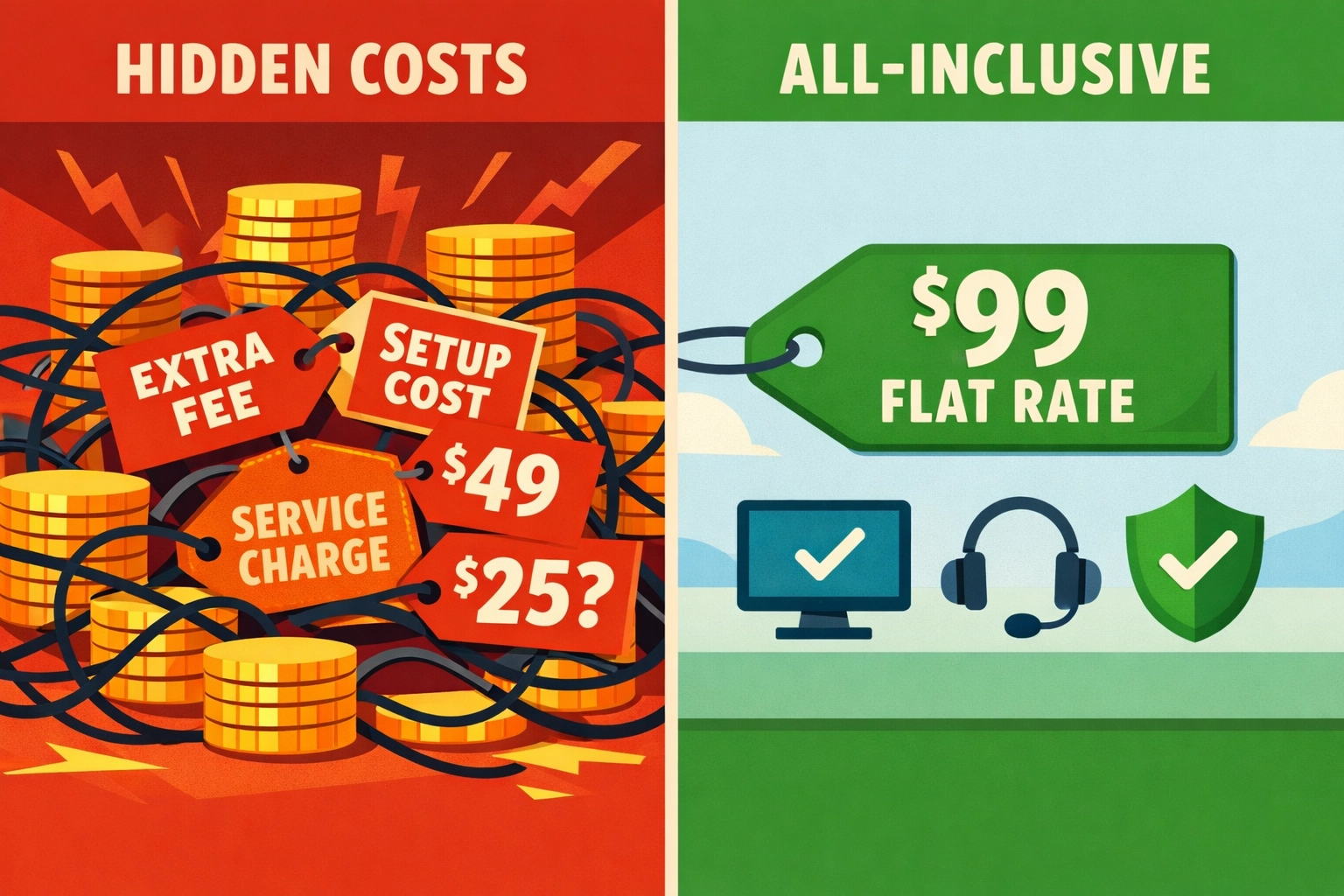
    Comparison of hidden software costs versus transparent flat-rate pricing for contractors

    Red Flags That Signal You’re About to Overpay

    Multi-week implementations. If it takes a month to get up and running, it’s too complicated for your business.

    Required training sessions. Software that needs formal training is software your techs won’t use.

    Per-user pricing above $100/month. You’ll hit budget problems the second you hire your fourth person.

    Separate charges for “modules.” Scheduling is extra. Invoicing is extra. Payment processing is extra. These should all be included.

    No mobile app or a clunky one. Your team lives in their phones. If the mobile experience is an afterthought, the whole system fails.

    Annual contracts only. Companies confident in their product offer monthly pricing. Annual-only is a lock-in move.

    The One-Hour Decision Framework

    You don’t need weeks of demos and comparison spreadsheets.

    Here’s how to decide in one afternoon:

    Hour 1: Sign up for three free trials. Actually use them. Create a fake job. Schedule it. Invoice it. Did it feel easy or frustrating?

    Look at your credit card statement. What are you paying now for all your tools combined? (Scheduling software + QuickBooks + payment processor + whatever else.) That’s your baseline.

    Write down your actual workflow. Not what you wish it was. What happens from the moment a customer calls to the moment you get paid. The right software should support exactly that flow.

    Check mobile reviews. Not the company website. App Store and Google Play. If techs are complaining about the mobile app, believe them.

    Count clicks. How many taps does it take to complete a common task? Fewer is always better.

    If a tool passes all five checks and costs less than what you’re paying now, you’re done.

    HVAC, plumbing, and locksmith service vehicles representing trade-specific scheduling software

    Why We Built for the $99/Month Reality

    We kept seeing the same story. Small trade businesses signing up for $400/month software and using 20% of it.

    So we built something different.

    No enterprise features you’ll never touch. No per-user pricing that explodes when you grow. No modules or add-ons or premium tiers.

    Just scheduling, invoicing, job management, and payments in one place. For one flat price that includes your whole team.

    We’re not trying to serve every company. We’re built specifically for HVAC, plumbing, electrical, and locksmith businesses with 2-15 people who are tired of overpaying.

    Make the Switch Without the Chaos

    Moving from your current system shouldn’t take weeks or require an IT consultant.

    The right locksmith business software or HVAC scheduling software should let you:

    Import your customer list in five minutes. Export from your old system, upload to the new one. Done.

    Run both systems for a week if you want. Schedule new jobs in the new system while you finish old jobs in the old one.

    Train your team in an afternoon, not a month. If it’s not intuitive enough for that, it’s not simple enough.

    Start seeing ROI immediately. Not in quarter three after full implementation. Week one should already feel easier.

    That’s what “without overpaying” really means. Not just the monthly cost. The time cost, the training cost, the complexity cost.

    What Happens Next

    You’ve got options now. Too many options, honestly.

    Here’s what we’d do:

    Pick three tools that claim to serve businesses your size. Actually try them for an hour each. The right one will feel obvious.

    Don’t get sold on features you don’t need. Don’t accept per-user pricing above $100. Don’t sign annual contracts on your first software purchase.

    And if you want to see what we built specifically for small trade businesses who are tired of overpaying, check out Valortek.

    We’re not trying to be everything to everyone. Just the best option for HVAC, plumbing, and locksmith companies who want scheduling, invoicing, and job management in one place without the enterprise price tag.

    Start Your Free Trial

    Questions? Contact us – we’re happy to help you decide.

  • From Paper to Profit: How an Electrician Saved 10 Hours a Week on Admin

    Meet Mike. He’s been running his electrical business in Denver for eight years. Two trucks. Four employees. Good reputation.

    He was drowning in paperwork.

    The Paper Problem

    Mike’s mornings looked like this: Coffee. Open the filing cabinet. Shuffle through yesterday’s job sheets. Try to read his technician’s handwriting. Transfer everything to a spreadsheet. Create invoices. Email them. File the papers.

    Every. Single. Day.

    His afternoons? Fielding calls from the field. “Where’s the Johnson address?” “What materials do I need?” “Did you get my hours from Tuesday?”

    He had a system. Sort of.

    Job details lived in a binder. Schedules lived in a wall calendar. Time tracking lived in a different spreadsheet. Customer info lived in yet another file. Invoices lived in QuickBooks, but he had to enter everything manually.

    Nothing talked to anything else.

    Chaotic desk with scattered paperwork, spreadsheets, and filing cabinets showing electrician admin overload

    The Breaking Point

    The wake-up call came on a Thursday.

    A customer called asking about an invoice. Mike couldn’t find the job sheet. His tech swore he turned it in. Twenty minutes of searching later, Mike found it buried under some other paperwork.

    That same day, he realized he’d forgotten to invoice three jobs from the previous week. He stayed until 9 PM catching up on admin work.

    He did the math. He was spending roughly 12-15 hours per week on administrative tasks. That’s almost two full working days.

    Two days he could be out doing estimates. Growing the business. Actually working as an electrician instead of a secretary.

    Something had to change.

    The Solution: Going Digital

    Mike wasn’t a tech guy. He’d avoided business software because it seemed complicated and expensive.

    But he couldn’t keep losing hours to paperwork.

    He found Valortek Operations. No enterprise pricing. No year-long contracts. Just $99 a month.

    The setup was simple. He entered his customer list. Added his team. Created his service catalog.

    Then he downloaded the mobile app on his phone and his technicians’ phones.

    That’s where everything changed.

    Before and after comparison: electrician switching from paper filing to mobile app management

    How the Mobile App Transformed His Day

    Here’s what happens now when Mike schedules a job:

    He creates it in the system. Assigns it to a tech. The tech gets a notification on their phone. They tap it. They see the customer address, job details, and any notes. GPS directions are one tap away.

    No phone calls. No texts. No “Did you get my message?”

    When the tech arrives at the job, they clock in from their phone. The app tracks their location and time automatically. They can see what materials they need. They can add photos of the work. They can create notes about what they found.

    All from their phone.

    When the job is done, they clock out. They can even collect the customer’s signature right there on the phone screen.

    Mike sees everything in real-time. Where his guys are. What stage each job is at. How long things are taking.

    No more evening paperwork sessions. No more hunting for job sheets. No more “I forgot to turn in my timesheet.”

    Mobile job management app interface showing scheduling, GPS, time tracking, and photo features

    The Results: 10 Hours Back Every Week

    Mike tracked his time for the first month after switching. Here’s exactly where he saved 10 hours per week:

    Scheduling: 2 hours saved

    Before, he spent time calling or texting job details to his techs. Now he just assigns the job in the app. Done.

    Time tracking: 1.5 hours saved

    His guys used to text or call in their hours. He’d write them down. Then enter them into a spreadsheet. Then calculate the totals. Now it’s automatic. They clock in and out from their phones.

    Job documentation: 2 hours saved

    No more deciphering handwritten job sheets. No more chasing techs for missing paperwork. Everything’s digital and complete before they leave the job site.

    Invoicing: 3 hours saved

    This was the big one. He used to manually create every invoice from his spreadsheet notes. Now the system generates invoices automatically from completed jobs. He just reviews and sends.

    Customer communications: 1.5 hours saved

    Customers can see their appointment times. They get automatic reminders. They receive invoices by email. Mike’s phone rings a lot less.

    That’s 10 hours. Every single week.

    Time savings visualization: 10 hours per week saved switching from paperwork to digital system

    What He’s Doing With His Time Now

    Mike didn’t hire more staff with those 10 hours. He invested them back into growth.

    He’s doing three more estimates per week. That’s converting to about five additional jobs per month. At his average job size, that’s an extra $4,000 in monthly revenue.

    The $99 monthly cost? It paid for itself in the first week.

    He’s also home for dinner more often. His stress level dropped. His wife noticed.

    The Mobile App Features That Matter Most

    If you ask Mike what features he actually uses, he’ll tell you these:

    Mobile scheduling – His techs see their day’s jobs right on their phone. No morning briefings needed.

    GPS navigation – One tap and their phone gives them directions to the job. No more calling for addresses.

    Digital timesheets – Clock in, clock out. The app knows where they are and how long they worked.

    Photo documentation – Before and after photos live with the job record. Great for insurance claims and customer records.

    Customer signatures – Collect approval right on the phone. No more paper forms to lose.

    Real-time updates – Mike sees job status changes instantly. He knows what’s happening without asking.

    These aren’t fancy features. They’re just the basics done right. On a phone. In the field.

    That’s what makes the difference.

    What Mike Wishes He’d Known Earlier

    “I should have done this three years ago,” Mike says.

    He was scared of the learning curve. Turned out, if you can use a smartphone, you can use Valortek Operations. His oldest tech figured it out in a day.

    He was worried about the cost. But he was already paying in time. Ten hours at his hourly rate is way more than $99.

    He thought he’d lose the personal touch. Instead, he’s more responsive because he’s not buried in paperwork.

    The switch took him one weekend to set up. One week to get comfortable. One month to wonder how he ever lived without it.

    No Enterprise Software. No Complexity. Just Results.

    We’re not selling you a massive platform you’ll never fully use.

    We built Valortek Operations for businesses like Mike’s. Small teams. Real work. No time for complicated software.

    You get what you need. Scheduling. Time tracking. Job management. Invoicing. Mobile access.

    Nothing you don’t.

    $99 per month. No hidden fees. No “contact us for pricing.” No year-long commitment.

    It either saves you time and makes you money, or it doesn’t.

    For Mike, it saved 10 hours a week and added $4,000 in monthly revenue.

    Your numbers might be different. But the math probably works the same way.


    Start Your Free Trial

    Questions? Contact us – we’re happy to help you decide.

  • Housecall Pro Alternative: 7 Field Service Apps That Cost Half as Much (2026 Comparison)

    Housecall Pro just raised their prices again in February 2026. Their “Core” plan now sits at $149/month per user. Add GPS tracking? That’s another $20 per vehicle monthly. Want sales proposals? Tack on $40 more.

    Before you know it, you’re paying $250+ per month for software that should cost half that.

    We’ve tested every major Housecall Pro alternative on the market. The good news? There are seven solid options that give you the same features (or better) for 50-70% less money.

    Here’s the breakdown.

    The Real Cost of Housecall Pro in 2026

    Let’s be clear about what you’re actually paying.

    Base price: $149/month for the Core plan. Sounds reasonable until you realize what’s NOT included.

    Photo documentation? You’ll need CompanyCam at $19-49 per user. Property measurements? GoiLawn runs $67-255/month. Route optimization? Beeline Routes charges $20-50/month.

    Do the math. You’re looking at $255-504 per month for a complete system. That’s $3,060-6,048 annually.

    Most small trade businesses don’t need enterprise-level software. You need scheduling, invoicing, payment processing, and client management. Maybe some financial reporting.

    You don’t need to spend $500/month for that.

    Field service management software dashboard showing scheduling and invoicing features

    7 Housecall Pro Alternatives That Won’t Drain Your Budget

    1. Valortek – Financial Management Built In

    We built Valortek specifically for trade businesses that are tired of paying for three separate systems.

    No separate accounting software. No separate tax planning consultant. No separate field service app.

    Valortek combines scheduling, invoicing, payment processing, AND financial management with tax planning guidance in one platform for $149/month.

    You get everything Housecall Pro offers, plus real financial insights that actually help you keep more of what you earn. Quarterly tax estimates. Deduction tracking. Profit margin analysis by job type.

    The software pays for itself when you stop overpaying the IRS or scrambling at tax time.

    2. FieldFuze – Zero Monthly Fees

    FieldFuze takes a different approach. No monthly subscription at all.

    They charge 2.9% on processed payments. That’s it. No hidden fees. No per-user costs. No add-ons.

    For a business processing $10,000 monthly, that’s $290 in fees. Compare that to Housecall Pro’s $149 base plus payment processing (2.7%) plus add-ons.

    Best for: Solo operators or small teams processing lower monthly volumes.

    3. Jobber – Transparent Pricing

    Jobber starts at $39/month for their entry-level plan.

    Mobile job tracking, client automation, and online booking all included. No surprise fees when you need basic features.

    Their pricing is straightforward. You know exactly what you’re paying each month. Growth plans scale at $129 and $249, still competitive with Housecall Pro’s bloated pricing.

    Best for: Small businesses just getting started with field service software.

    Seven field service apps displayed on mobile devices for cost comparison

    4. FieldPulse – AI-Powered Booking

    FieldPulse offers something Housecall Pro doesn’t: 24/7 AI appointment booking.

    Your customers can schedule themselves any time, day or night. The AI handles questions, confirms availability, and books the job. You wake up to confirmed appointments.

    Pricing runs cost-efficient for teams of 1-5, though they don’t publish exact rates publicly. Request a quote and compare it to your current Housecall Pro bill.

    Best for: Businesses losing leads after hours or on weekends.

    5. QuoteIQ – Bundled Features

    QuoteIQ markets itself as the “$2,000 annual savings” alternative.

    They bundle photo documentation, property measurement, and route optimization directly into their platform. Everything Housecall Pro makes you pay extra for.

    Standard pricing sits around $99-149/month depending on team size, but you’re getting 4-5 tools in one.

    Best for: Landscaping, roofing, and exterior service businesses that need property imaging.

    6. RazorSync – Offline Functionality

    RazorSync built their mobile app for contractors working in areas with spotty cell service.

    Full offline mode. Enter job details, collect signatures, process payments: all without internet. Everything syncs when you’re back online.

    Pricing is competitive with entry plans under $100/month. The offline capability alone makes it worth considering if you work rural routes.

    Best for: Contractors in remote areas or basements with poor connectivity.

    Service van with offline connectivity in rural area for field contractors

    7. Kickserv – Simple Organization

    Kickserv keeps things simple. Tags, colors, filters: basic organization that actually works.

    No bloated feature set you’ll never use. Just clean job management, scheduling, and invoicing that small businesses can figure out in an afternoon.

    Pricing starts low and stays affordable as you scale. Their support team actually answers the phone.

    Best for: Business owners who want simple software that just works.

    What You Actually Need in Field Service Software

    Stop paying for features you don’t use.

    Here’s what matters for most trade businesses under 10 employees:

    Scheduling and dispatch: See your day at a glance. Assign jobs. Send technicians the details.

    Mobile access: Your team needs job info on their phones. Customer history, service notes, photos.

    Invoicing and payments: Generate invoices on-site. Accept credit cards. Get paid faster.

    Client management: Contact info, service history, equipment details all in one place.

    Basic reporting: Revenue, outstanding invoices, job completion rates.

    That’s it. Most businesses don’t need advanced territory management or 47 different pipeline views.

    And you definitely don’t need to pay $300-500/month for it.

    The Valortek Difference: More Than Just Scheduling

    We’re not just another field service app.

    Valortek was built by business consultants who work with trade businesses every day. We saw the same problem repeatedly: owners using three different systems that don’t talk to each other.

    One app for scheduling jobs. QuickBooks for accounting. A CPA for tax planning.

    That’s three monthly bills. Three logins. Three places where your data lives separately.

    We fixed that.

    Valortek gives you field service management PLUS the financial tools you need to actually run a profitable business. Real-time profit tracking by job type. Quarterly tax estimates so you’re never caught off guard. Deduction tracking that makes tax time simple.

    Your scheduling software should help you make more money, not just stay organized.

    Comparison of multiple software systems versus unified field service platform

    Making the Switch From Housecall Pro

    Switching software feels risky. We get it.

    But staying with overpriced software is riskier. That’s $2,000-4,000 per year you could reinvest in your business. Marketing. Equipment. Hiring help.

    Most platforms offer free trials. Test 2-3 alternatives before committing. Import your customer data (every decent platform supports CSV imports). Run them parallel for a week.

    You’ll know pretty quickly which system fits your workflow.

    The migration pain lasts a week. The cost savings last years.

    Your Next Step

    Stop overpaying for field service software.

    Housecall Pro isn’t bad software. It’s just overpriced for what small trade businesses actually need.

    If you want scheduling, invoicing, payments, AND financial management that helps you keep more of what you earn, check out Valortek. We built it specifically for businesses tired of juggling multiple systems.

    Book a free demo at valortek.com. We’ll show you exactly how much you can save while getting better financial insights than Housecall Pro ever offered.

    Or pick one of the other six alternatives listed above. Any of them will save you money compared to what you’re paying now.

    Just stop accepting $300/month as normal. It’s not.

    Questions about switching? Contact our team at valortek.com. We’ll walk you through it step by step. No pressure. No sales pitch. Just honest guidance from people who’ve helped hundreds of trade businesses make the switch.

    Start Your Free Trial

    Questions? Contact us – we’re happy to help you decide.
  • Stop Wasting $200/Month on Field Service Software: The QuickBooks + Housecall Pro Alternative for Small Trades

    You’re paying too much for field service management software.

    Let’s do the math. QuickBooks Online Plus runs $90/month. Housecall Pro starts at $169/month. That’s $259/month, or $3,108 per year, just to schedule jobs and send invoices.

    And that’s before you pay your accountant $1,500 at tax time because your books are a mess.

    Most trades with 1–10 employees don’t need enterprise software. You need scheduling. Invoicing. Payment collection. Basic bookkeeping that doesn’t require a CPA to interpret.

    You don’t need two separate platforms that barely talk to each other.

    Why Small Trades Overpay for Software

    The standard advice is simple: use Housecall Pro for field service management and QuickBooks for accounting. Sync them together. Easy, right?

    Except it’s not.

    Contractor managing multiple field service software platforms causing workflow frustration

    You’re running two subscriptions. Two login screens. Two support teams. And when the sync breaks: and it will: you’re stuck figuring out which side dropped the ball.

    Here’s what actually happens:

    • Your technician closes a job in Housecall Pro
    • The invoice syncs to QuickBooks (maybe)
    • The payment syncs separately (sometimes)
    • Your chart of accounts gets cluttered with auto-generated entries
    • You spend 45 minutes every week reconciling transactions that should match but don’t

    This isn’t efficiency. It’s expensive babysitting.

    Field service management software should save you time, not create more work. But when you’re stitching together two platforms that were never designed to work as one system, you end up with gaps.

    The Hidden Costs Nobody Talks About

    The $259/month subscription fee is just the start. Here’s what else you’re paying for:

    Tax prep nightmares. When your data lives in two places, your accountant bills extra hours to reconcile everything. That’s $1,000–$2,000 annually in additional CPA fees just to clean up your books before filing.

    Cash flow guesswork. You can’t see real-time profit and loss when half your data is in one system and half is in another. You’re always estimating. That leads to overspending in good months and scrambling in slow ones.

    Training costs. Every new office person needs to learn two systems. Every technician needs separate logins. Onboarding takes twice as long.

    Integration failures. One software update on either side can break the sync. Now you’re manually entering invoices while waiting for support to fix it.

    Add it all up and you’re closer to $5,000/year in total cost of ownership. Not $3,108.

    What Invoicing Software for Contractors Actually Needs

    Let’s be honest about what a small trade business actually needs.

    You need to schedule jobs without a PhD in software.

    You need to invoice customers the second the work is done.

    You need to accept payments on-site: card, check, ACH, whatever.

    You need your books to update automatically so you’re not doing data entry at 9 PM on a Saturday.

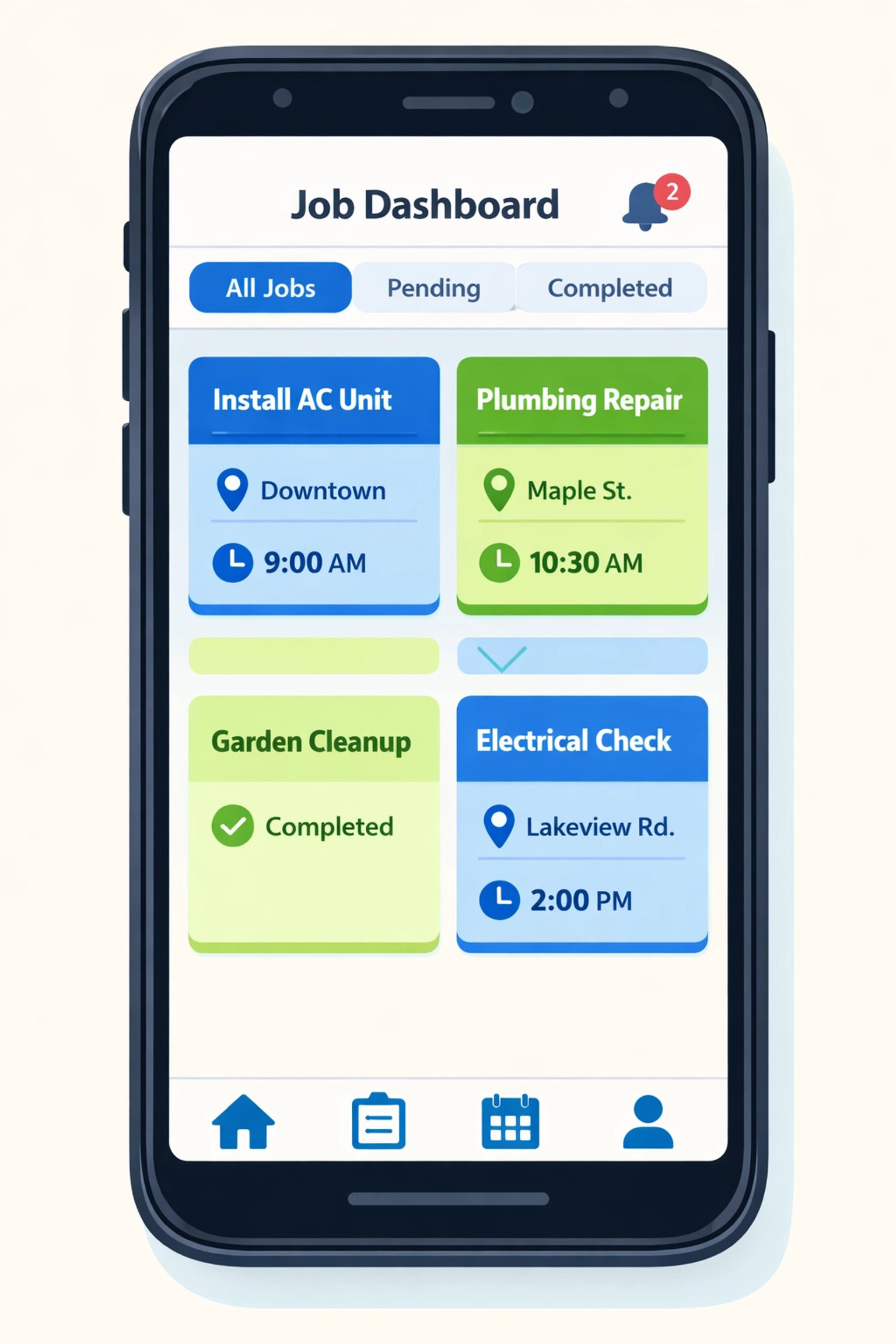
    Field service management software dashboard showing scheduling, invoicing, and payment features

    You need payroll that doesn’t require a separate subscription.

    You need to see your cash position without exporting three different reports and building a spreadsheet.

    That’s it. Everything else is feature bloat.

    The big platforms add AI-powered marketing automation and customer journey mapping and advanced reporting dashboards. Great for a 50-person operation. Useless if you’re running three trucks.

    The $149 Alternative That Actually Works

    We built Valortek for trades with 1–10 employees who are tired of overpaying for software they don’t fully use.

    One platform. One login. One monthly price.

    $149/month gets you:

    • Drag-and-drop scheduling for your whole crew
    • Mobile app for technicians to manage jobs, capture photos, and collect payments in the field
    • Automated invoicing that sends the moment a job is marked complete
    • Payment processing (credit card, ACH, checks) with industry-standard rates
    • Chart of accounts that updates in real time: no syncing, no delays
    • Basic payroll included (no separate Gusto or ADP subscription)
    • Tax-ready reports you can hand directly to your accountant

    No integration headaches. No double data entry. No surprise fees when you add your fourth employee.

    You save $110/month compared to the QuickBooks + Housecall Pro combo. That’s $1,320 per year back in your pocket.

    Where the Real Savings Show Up

    The monthly subscription savings are nice. But the real money is in what you avoid.

    Tax prep gets cheaper. When your accountant gets clean, organized books from a single system, they bill fewer hours. Our customers report saving $1,000–$1,500 annually on CPA fees because everything’s already categorized correctly.

    Comparison of disorganized bookkeeping vs organized invoicing software for contractors

    Cash flow improves. Real-time financials mean you actually know if you can afford that new truck or if you need to push purchasing to next month. No more guessing. No more overdraft fees because you thought you had more in the bank.

    You stop losing money to billing delays. When invoices go out automatically, customers pay faster. The average small trade loses $8,000/year to invoices that never get sent because someone forgot or got busy.

    Training time drops by half. One system means one onboarding process. Your new office manager is productive in days, not weeks.

    Add it up and you’re saving $3,000–$5,000 annually compared to the traditional two-platform approach.

    Who This Is For (And Who It’s Not)

    Valortek is built for small residential service businesses. Plumbers. HVAC techs. Electricians. Locksmiths. Appliance repair. Handyman services.

    If you’re running 1–10 employees and 90% of your work is residential service calls, this is for you.

    This is NOT for:

    • Commercial contractors managing multi-month projects
    • Enterprises with 50+ employees needing advanced workforce management
    • Businesses that require custom integrations with proprietary systems

    We’re not trying to be everything to everyone. We’re trying to be the best option for small trades who need simple, reliable software that doesn’t cost $300/month.

    Field Service Management Software That Doesn’t Overcomplicate Things

    Here’s what using Valortek actually looks like:

    Morning: You add today’s jobs to the schedule. Drag them to your technicians’ calendars. Done.

    Midday: Your tech completes a furnace repair. Takes a photo of the new filter. Marks the job complete in the mobile app. Customer gets an invoice instantly. Pays with a card on the spot.

    Afternoon: That payment hits your account. Your books update automatically. Accounts receivable drops. Revenue goes up. Cash balance reflects the deposit.

    End of day: You check your dashboard. See exactly what you made today, what you’re owed, what’s scheduled tomorrow.

    No exporting. No reconciling. No logging into three different systems.

    Service technician using mobile field service app to invoice customer on-site

    The Bottom Line for Small Trades

    You’re probably overpaying for field service management software right now.

    Not because you chose bad products. QuickBooks and Housecall Pro are fine tools. But they were built for different purposes and forcing them to work together creates expensive inefficiency.

    For small trades, simple wins.

    One platform that handles scheduling, invoicing, payments, and bookkeeping will save you $1,320/year in subscriptions alone. Add in lower tax prep costs, better cash flow management, and eliminated billing delays, and you’re saving $3,000–$5,000 annually.

    That’s real money. Money that could buy a new toolset. Cover a slow month. Give everyone a bonus at the end of the year.

    Ready to Stop Overpaying?

    We’re not going to pressure you with a free trial that auto-converts to a paid plan. We’re not going to require a credit card upfront.

    If you want to see Valortek in action, just email us. We’ll show you how it works. Answer your questions. Give you straight information so you can make the right call for your business.

    No sales pitch. No follow-up spam. Just people helping people run better businesses.

    Valortek Inc
    https://valortek.com

    Start Your Free Trial

    Questions? Contact us – we’re happy to help you decide.
  • How This 2-Person Plumbing Team Cut Software Costs by 60%

    Meet Jake and Maria.

    They run a two-person plumbing operation in Denver. No office. No receptionist. Just them, two trucks, and a lot of clogged drains.

    Like most small service businesses, they needed software to stay organized. Scheduling jobs. Sending invoices. Tracking payments. The usual stuff.

    They were paying $300 a month for it.

    For a team of two, that stung.

    The Old Setup: Death by a Thousand Subscriptions

    Jake and Maria were using Housecall Pro for scheduling and job management. It cost them about $169 per month for two users.

    Then they needed QuickBooks for accounting. Another $130 per month.

    Total: roughly $300 per month.

    That’s $3,600 a year. For two people.

    “We’re not a big company,” Maria told us. “We’re just trying to keep the lights on and serve our customers well.”

    The software worked fine. But every month when those charges hit their account, it felt excessive.

    They didn’t need enterprise features. They didn’t need fancy integrations. They needed to know where to be and when, send invoices that actually got paid, and keep their books straight.

    That’s it.

    Small business owner frustrated managing multiple software platforms and scattered receipts

    The Problem with Piecing It Together

    Here’s what happens when you cobble together multiple software solutions.

    You’re entering the same customer data in two different places. You’re switching between tabs constantly. You’re hoping the two systems play nice together.

    They usually don’t.

    Jake spent hours each week reconciling Housecall Pro jobs with QuickBooks entries. Maria was managing customer information in both systems, trying to keep everything synced.

    “It was like having two brains that didn’t talk to each other,” Jake said.

    The monthly cost was one problem. The time waste was another.

    And when you’re a two-person team, time literally is money. Every hour spent fighting with software is an hour not spent fixing pipes.

    The Search for Something Better

    Maria started looking for alternatives.

    She wanted something that handled scheduling, invoicing, and basic accounting in one place. No switching between platforms. No duplicate data entry.

    And she wanted it to cost less than $300 a month. Ideally, a lot less.

    Most solutions she found fell into two categories:

    Too basic. Free tools that couldn’t handle real business needs. No invoicing. No payment processing. Just glorified calendars.

    Too expensive. Enterprise platforms charging $400+ per month for features they’d never use.

    Then she found Valortek.

    The Switch: One Platform, Half the Cost

    Valortek’s operations bundle costs $149 per month.

    That’s it. Everything included.

    Scheduling? Check. Invoicing? Check. Payment processing? Check. Basic accounting? Check.

    For a two-person team, it was exactly what they needed. Nothing more. Nothing less.

    The math was simple:

    • Old cost: $300/month ($3,600/year)
    • New cost: $149/month ($1,788/year)
    • Savings: $151/month ($1,812/year)

    That’s a 60% reduction.

    For context, that’s enough savings to cover their truck insurance for the year. Or buy new tools. Or just keep in their pockets.

    Business owner using unified software platform for scheduling, invoicing, and payments

    What Actually Changed

    Jake and Maria made the switch in February.

    Here’s what their day-to-day looks like now.

    Scheduling jobs is stupid simple. When a customer calls, Maria opens one platform. She checks Jake’s calendar, books the appointment, and the customer gets an automatic confirmation text. Done.

    No switching apps. No double-checking availability in another system.

    Invoicing happens instantly. Jake finishes a job, pulls up the customer on his phone, and sends the invoice right there. The customer can pay by card immediately.

    The payment automatically shows up in their accounting records. No manual entry. No reconciliation headaches.

    “I used to send invoices when I got home at night,” Jake said. “Now I send them before I leave the customer’s driveway. We get paid faster.”

    One source of truth. Customer information lives in one place. Job history, payment history, notes about their weird water heater: it’s all right there.

    Maria doesn’t maintain two databases anymore. She doesn’t wonder if the information in Housecall Pro matches what’s in QuickBooks.

    It just works.

    The Real Win: Time Back

    The $151 monthly savings is nice.

    But the real win? Jake and Maria got their evenings back.

    No more end-of-day data entry. No more weekend reconciliation sessions. No more “Did you update this in QuickBooks?” conversations.

    They finish work and they’re done.

    “We’re plumbers, not accountants,” Maria said. “We just wanted software that didn’t require a degree to use.”

    Why This Works for Small Teams

    Most software companies design for big businesses. Then they try to sell downsized versions to small teams.

    That’s backwards.

    Small teams don’t need 80% of the features in enterprise software. They need the core stuff to work perfectly.

    Valortek built specifically for teams like Jake and Maria’s. Two to twenty people. Service-based businesses. Companies that need real functionality without the bloat.

    Scheduling that doesn’t require a manual. Invoicing that takes seconds, not minutes. Accounting that stays current automatically.

    No training required. No implementation specialist. No onboarding calls.

    You sign up, add your customers, and start working.

    The Bottom Line

    Jake and Maria cut their software costs from $300 to $149 per month.

    They’re saving $1,812 per year.

    But more importantly, they’re saving hours every week. They’re getting paid faster. And they’re running their business from one platform instead of juggling two.

    “We’re never going back,” Maria said. “This is what software should have been from the start.”

    If you’re a small team paying for multiple tools that don’t talk to each other, there’s a better way.

    One platform. One price. Everything you actually need.

    No enterprise complexity. No paying for features you’ll never touch. Just the tools that help you run your business.

    Simple as that.


    Start Your Free Trial

    Questions? Contact us – we’re happy to help you decide.